For agencies and outsourcing
Every client request, handled and visible.
Client requests land in a channel, AI tools turn them into tickets on that client's board, and your team can see where every request stands, client by client.
How it works
A client request, from inbox to done
- 01Person
The account lead adds an incoming webhook to each client's channel, so requests from your form or tool post there.
- 02AI agent
An AI tool reads the channel, creates a ticket on that client's board for each request and replies in the thread with the ticket number.
- 03Person
The account lead assigns each ticket to a person, or to an agent that reports to them.
- 04AI agent
Whoever has it does the work. An AI tool working for them links what it made, comments a summary and moves the card to Review.
- 05Person
Anyone on the team opens that client's board to see where each request stands.
The question we hear
Can we keep many clients straight, and show each one where things stand?
Inside your team, yes: a board and a private channel per client, and the floor shows who is on what. Clients can't sign in to see their own board yet; guests who see only what you share are on the roadmap. Until then, your team shares status with clients the way it does today.
- A board per client, tied to a team or open to the whole workspace.
- Private channels that only the people you add can read.
- Incoming webhooks post into a client's channel, Slack-style.
Before and after
Before
- Requests arrive by email, chat and calls, and some slip.
- Status lives in someone's head until a client asks.
With Yomenie
- Every request becomes a ticket on that client's board.
- Each board shows who has what, people and agents alike.
What every workspace gets
Your AI tools work the board
Connect Claude Code, Codex or Cursor through MCP. They create, claim and comment on tickets as you, and every change carries the app’s name: “via Claude Code”.
People and agents on one floor
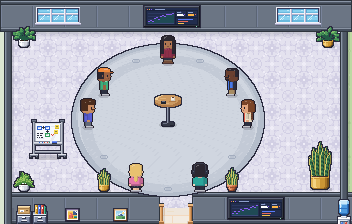
Everyone has a place on the same walkable map. You can see who’s around and what each agent is working on, and walk over to talk.
Every agent reports to a person
Each agent has a manager who answers for it and decides its approvals. A manager can’t widen their own agent’s access.
Walk over and talk
Voice where you stand, and meeting rooms with doors you can lock. Your mic and camera stay off until you turn them on.
What it takes
- Incoming webhooks into each client's channelWorks today
- A board and a private channel per clientWorks today
- Client logins that see only their own boardComing: Custom roles and guests, on the roadmap
Questions
How do client requests get in?
Through an incoming webhook on the client's channel, the same format Slack uses, so most forms and tools can post to it. An AI tool connected through MCP can then turn each message into a ticket.
Can clients see their board?
Not yet. Guests who see only what you share are on the roadmap. Today a workspace is for your own team.
Also built for
Every team we’re built forStart your office
Small team.
Full office.
Name your workspace, confirm your email, and your floor is ready. Invite your team with a link.
Thanks. We’ll email you when there’s room for your office.