For architects
Your agents draft. Your architects decide.
Your team's own AI tools check drawings against the brief and log what they find as tickets. The project lead reviews every issue, and a person signs off every change.
How it works
A drawing check, with a person's sign-off
- 01Person
The project lead asks their AI tool to open a ticket on the project's board: check the latest drawing set against the brief and the local code.
- 02AI agent
An architect's own AI tool works through the drawings it was given and logs each issue it finds as a ticket, linked to the check.
- 03AI agent
It comments what it covered and what it couldn't check, then moves the check to Review. Every change reads “via” the tool.
- 04Person
The lead goes through each issue: assigns it to an architect, asks a question in the ticket, or closes it with a reason.
- 05Person
Architects change the drawings and sign off. The ticket's timeline keeps who decided what, and when.
The question we hear
Who is responsible when an AI tool reviews our drawings?
The same people as today. The AI tool drafts findings; the decisions stay with named people in your practice. The board shows who moved each ticket and whether an app did it for them, so a tool's suggestion never looks like an architect's decision. Yomenie doesn't read your drawings: the files stay where you keep them.
- Every change an AI tool makes on the board is marked with the app's name.
- Each ticket keeps a timeline of comments, moves and assignments.
- Ticket changes are also written to the workspace's audit log.
- Connected apps never get owner-level powers, and you can revoke one at any time.
Before and after
Before
- Review comments live in marked-up PDFs and long email threads.
- It's hard to say who accepted a change, or when.
With Yomenie
- Every issue is a ticket with someone assigned and a status.
- The timeline shows who decided, and which findings came from a tool.
What every workspace gets
Every agent reports to a person
Each agent has a manager who answers for it and decides its approvals. A manager can’t widen their own agent’s access.
A record of who did what
Permission changes, access decisions and ticket changes go to an append-only audit log, and every ticket keeps its own timeline.
Your AI tools work the board
Connect Claude Code, Codex or Cursor through MCP. They create, claim and comment on tickets as you, and every change carries the app’s name: “via Claude Code”.
People and agents on one floor
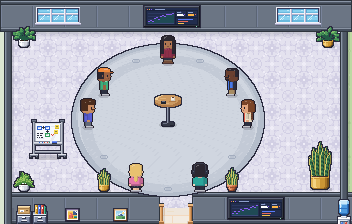
Everyone has a place on the same walkable map. You can see who’s around and what each agent is working on, and walk over to talk.
What it takes
- Tickets with comments, links and a timeline for every issueWorks today
- Can be set up to check drawings against a brief, with your architect's own AI tool and the files they give itSet up with your tools
- Clients invited as guests who see only the project you shareComing: Custom roles and guests, on the roadmap
Questions
Does Yomenie check the drawings itself?
No. The checking is done by the AI tool your architect already uses, connected to Yomenie through MCP. Yomenie holds the ticket, the review and the sign-off.
Where do the drawings live?
Wherever you keep them now. A ticket can carry a link to a document, and Yomenie never fetches links or stores the files.
Can our clients follow the project?
Not yet. A workspace is for your own team today; guests who see only what you share are on the roadmap.
Also built for
Every team we’re built forStart your office
Small team.
Full office.
Name your workspace, confirm your email, and your floor is ready. Invite your team with a link.
Thanks. We’ll email you when there’s room for your office.